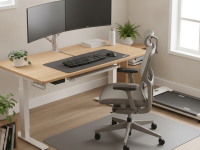
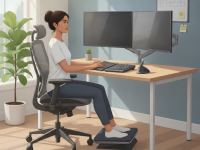
Chronic back and leg pain is not only uncomfortable—it can limit focus, productivity, and daily activities. By prioritizing ergonomic design, you address the root causes of nerve irritation and reduce strain on the lower back and hips. This article explains how to build a desk setup that supports lasting comfort, backed by evidence-based principles and practical, adjustable solutions suitable for home or office.
Why desk ergonomics matter for sciatic pain
Sciatica results from compression or irritation of the sciatic nerve, often traveling from the lower back through the hips and legs. Repetitive poor posture, awkward bending, and prolonged sitting can aggravate symptoms. The right desk setup helps maintain a neutral spine alignment, distribute weight evenly through the pelvis, and minimize static loading on the lumbar region.
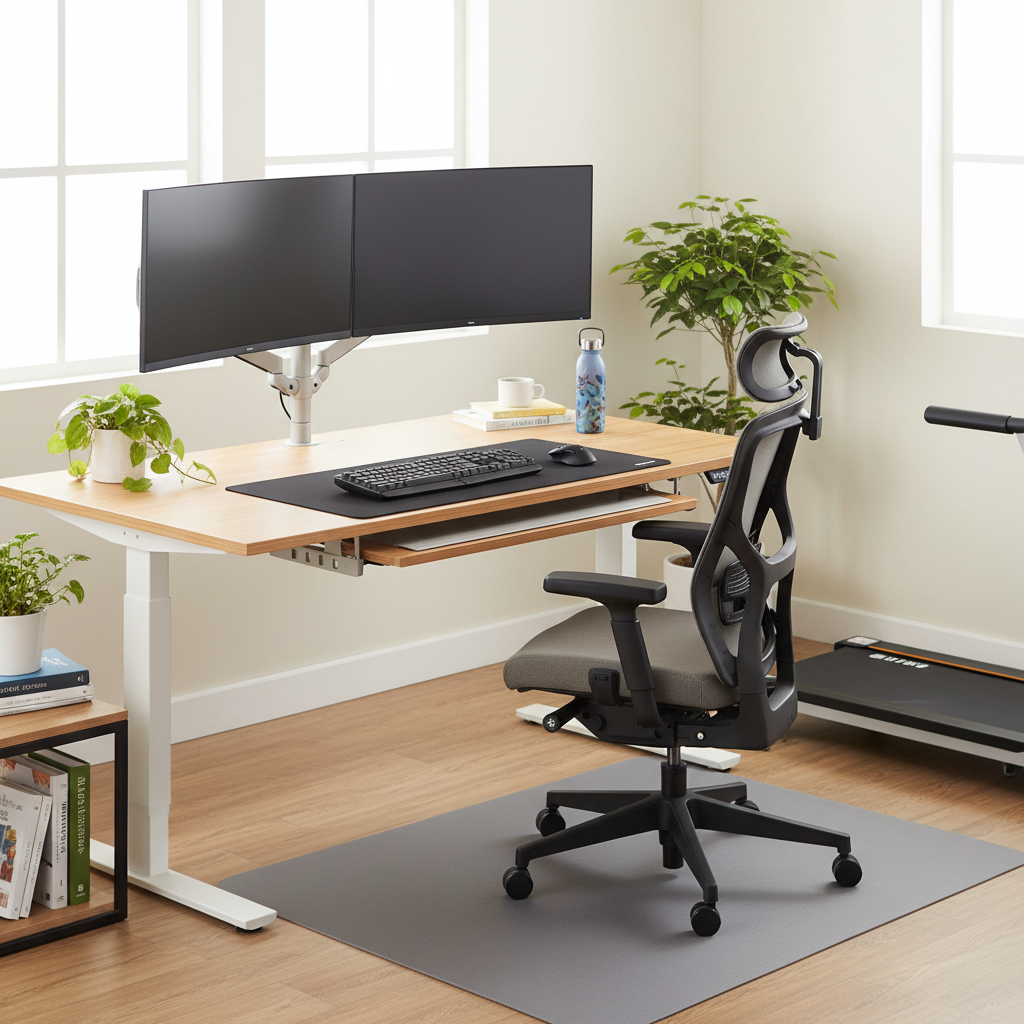
Key biomechanical goals include keeping the spine naturally curved, promoting hips to sit at about a 90-degree angle, and ensuring the knees are level with or slightly below the hips. When these cues are met, the workday becomes less stressful for the sciatic nerve and surrounding structures. This is not only about comfort; it is about reducing cumulative load that may trigger or worsen sciatica flare-ups.
Core ergonomic principles to apply
Neutral spine and alignment
Maintain a gentle inward curve in the lower back and avoid slouched or hyperextended positions. The head should be balanced over the spine, not jutting forward toward screens. Neutral alignment reduces compressive forces on the intervertebral discs and nerve pathways.
Seat height, depth, and lumbar support
The chair height should allow your feet to rest flat on the floor or on a footrest, with the knees at about 90 degrees. Check that the seat depth leaves a two- to four-finger clearance behind the knees to avoid pressure on the popliteal area. A chair with adjustable lumbar support helps maintain the natural spine curve without forcing sacral tilt.
Monitor height and visual ergonomics
Position the monitor so the top line of text is at or slightly below eye level. This reduces neck flexion and helps keep the head aligned with the spine. The monitor should be about an arm’s length away, with the screen centered to prevent repeated turning or tilting of the torso.
Keyboard and mouse placement
Place the keyboard and mouse so that your elbows stay close to the body and your wrists remain in a neutral position. A slight negative slope on the keyboard can reduce wrist extension, but avoid extremes that cause strain. The mouse should be within easy reach, preventing reaching or twisting to access it.
Designing a pain-preventive workstation
Chair selection and adjustments
- Choose an adjustable chair with multi-point lumbar support and a comfortable seat depth.
- Adjust the chair height so feet lie flat and knees form about a 90-degree angle.
- Incorporate a small cushion or lumbar roll if built-in support is insufficient.
Desk height and surface considerations
- Set the desk so the forearms can rest parallel to the floor when typing, with elbows near the body.
- A sit-stand desk can help vary load; alternate positions every 30–60 minutes if possible.
- Keep frequently used items within a comfortable reach zone (about an arm’s length) to avoid twisting or leaning.
Monitor, keyboard, and chair synergy
- Place the monitor at eye level, and ensure the screen is directly in front to reduce neck twisting.
- Use an external keyboard and mouse to keep wrists straight and forearms supported.
- Consider a footrest if feet don’t comfortably reach the floor; aim for hips and knees at roughly 90 degrees.
Movement, habits, and routines that support prevention
Microbreaks and posture shifts
Integrate brief breaks every 20–30 minutes to stand, stretch, or walk. Even short movements help restore circulation and reduce static loading on the lower back. Use a reminder app or timer to enforce regular posture changes.
Stretching and strengthening to complement ergonomics
Gentle core engagement and hip mobility exercises can complement a good desk setup. Examples include pelvic tilts, seated knee-to-chest stretches, and standing hip hinges. Pair these with core stabilization routines (e.g., planks with proper form) to support the spine without aggravating symptoms.
Common mistakes to avoid and how to troubleshoot
Poor alignment and overreaching
Avoid reaching forward for the mouse or keyboard, which forces the shoulders forward and can aggravate the lower back. Keep elbows close to the torso and wrists straight in a neutral posture.
Static posture and insufficient variation
Staying in one position for long periods can increase nerve irritation. Break up tasks with micro-adjustments and alternating between sitting and standing whenever feasible.
Inadequate lumbar support
Lack of support can lead to posterior pelvic tilt and increased disc loading. If your chair lacks lumbar support, use a small cushion or a specially designed lumbar pillow to restore the natural curvature.
Practical, ready-to-use checklist
- Chair: adjustable height, adjustable lumbar support, seat depth appropriate for your leg length.
- Desk: height aligned so elbows are near 90 degrees when typing; consider a sit-stand option.
- Footwear and feet: feet flat on the floor or on a footrest; avoid crossing legs for long periods.
- Monitor: top line at or slightly below eye level; distance about an arm’s length.
- Keyboard/mouse: neutral wrist posture; within easy reach; consider split or ergonomic input devices if helpful.
- Posture cues: neutral head position, shoulders relaxed, hips square to the desk.
- Movement: microbreaks every 20–30 minutes; short stretches or walks.
- Alternation: rotate between sitting and standing as tolerated; avoid prolonged static loading in any one position.
- Accessories: lumbar support pillow, footrest, and cable management to keep surfaces clear and unobstructed.
- Personalization: adjust set-ups to fit personal anthropometrics and comfort; small adjustments can yield big relief.
When to seek professional help
Persistent sciatica that lasts more than a few weeks, worsens with desk tasks, or is accompanied by weakness or numbness in the leg should be evaluated by a clinician. Physical therapists can provide individualized assessments, manual therapy options, and targeted exercise programs. In cases of severe pain, new neurological symptoms, or if home ergonomics fail to improve function, a medical evaluation is warranted to exclude other conditions.
Closing: building durable relief through everyday design
Creating an ergonomic desk setup for sciatica prevention is a long-term investment in comfort and productivity. By aligning your chair, desk, monitor, and input devices with the body’s natural mechanics, you reduce nerve irritation and support sustainable work habits. Pairing ergonomic design with regular movement and targeted exercises yields the best outcomes for ongoing spine health.