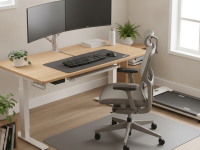
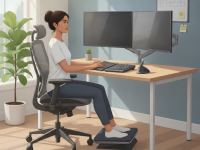
By addressing chair design, desk height, monitor placement, and movement patterns, you can create a sustainable routine that supports nerve health without sacrificing productivity. This article explains how to build an ergonomic desk setup that reduces sciatic irritations and promotes a healthier spine over time.
Understanding the link between ergonomics and sciatica prevention
Sciatica, or radicular pain along the sciatic nerve, is often aggravated by prolonged sitting and poor posture. Ergonomics aims to maintain a neutral spine, reduce excessive hip flexion, and encourage microbreaks that relieve nerve compression. While medical treatment may be needed for acute episodes, many people experience meaningful relief by optimizing their work environment and daily habits.
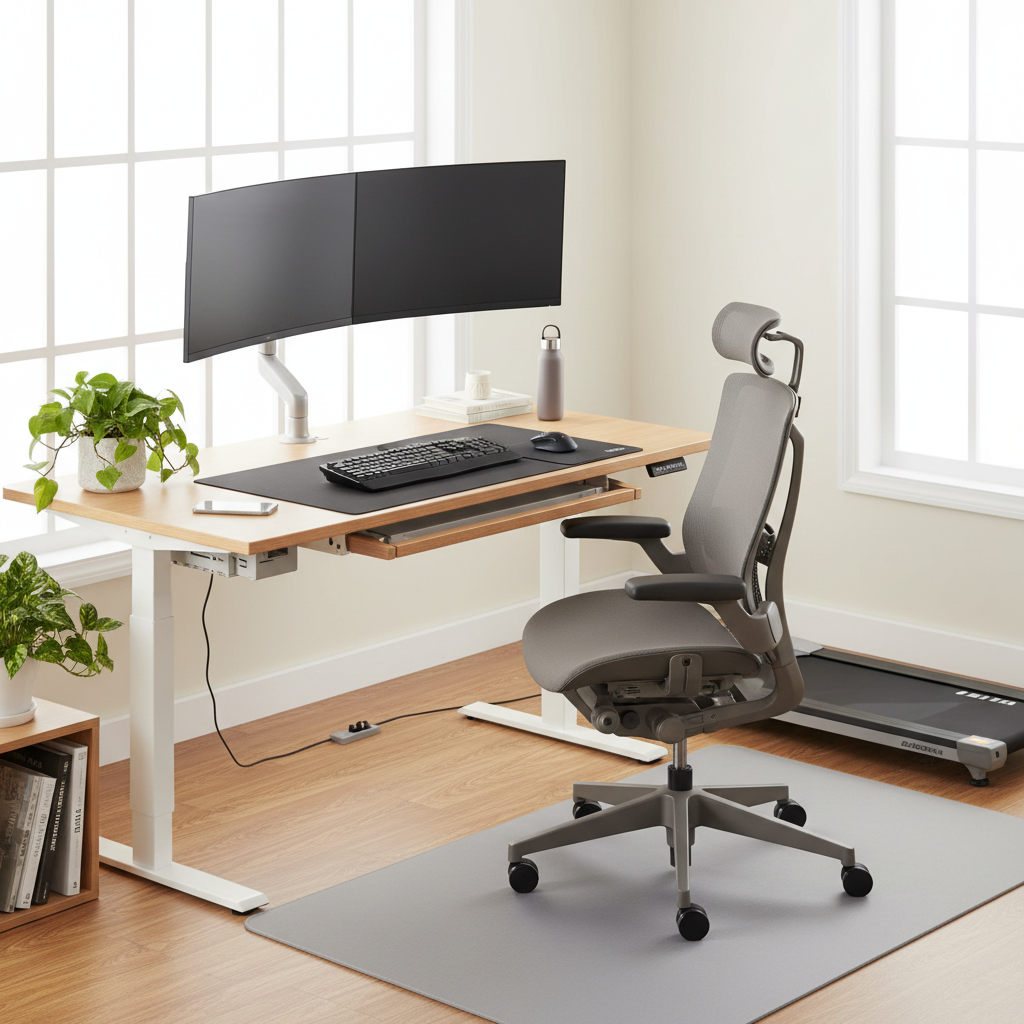
Key components of an ergonomic desk setup
Chair and seating position
- Choose a chair with adjustable seat height, backrest, and lumbar support that maintains the natural curve of the lower back.
- Set the seat height so your feet rest flat on the floor or on a footrest, with knees bent about 90 degrees and hips slightly above or level with the knees.
- Ensure the chair depth provides full thigh support without pressing behind the knees.
- Maintain a relaxed shoulder posture and slightly retracted shoulder blades to avoid forward head tilt.
Desk height and layout
- Position the desk so your forearms are parallel to the floor when typing, with elbows at roughly 90–120 degrees.
- Place the primary writing surface within easy reach to minimize leaning forward.
- Avoid clutter that pushes your torso forward or sideways; keep essentials within a comfortable reach zone.
Monitor, keyboard, and mouse ergonomics
- Place the monitor at an arm’s length away, with the top of the screen at or just below eye level to promote a neutral neck posture.
- Center the screen to avoid twisting your torso; align the keyboard directly in front of you and keep the mouse close to the keyboard.
- Keep wrists straight and relaxed while typing; consider a split or angled keyboard if it reduces shoulder or elbow strain.
- Use an optional vertical mouse if you notice wrist deviation or forearm discomfort.
Foot support and leg positioning
- Feet should rest flat on the floor or on a stable footrest; avoid crossing legs for extended periods.
- Periodically adjust leg position to reduce persistent pressure on the same area of the thigh and hip.
Posture and microbreaks
- Aim for a neutral spine: ears over shoulders, shoulders over hips, and hips over ankles.
- Incorporate brief breaks every 30–60 minutes to stand, walk, or perform gentle stretches that target the hips and lower back.
- Consider a reminder app or timer to prompt movement and posture checks without disrupting work flow.
Sit-stand strategies
A sit-stand approach helps alleviate prolonged static pressure on the lower back. Transition gradually between seated and standing positions, aiming for a mix such as 30–60 minutes sitting, followed by 15–30 minutes standing. Use an anti-fatigue mat and ensure the standing desk is set to a comfortable height so your elbows remain at 90–120 degrees.
Practical setup ideas and measurements
Useful benchmarks can help you tailor your workspace to your body. While individual needs vary, these guidelines provide a starting point:
- Chair seat height: adjust so your feet rest flat with knees at about 90 degrees.
- Monitor height: top edge at or slightly below eye level; center of screen about 2–3 inches below eye level for comfort.
- Desk depth: ensure you can reach the keyboard without leaning; typical depths range from 28–30 inches (70–76 cm).
- Arm position: elbows near your sides, forearms parallel to the floor; wrists in a neutral position during typing.
- Foot positioning: keep the soles flat on a surface; use a riser or footrest if knees sit higher than hips.
Incorporating movement into a busy workday
Movement is a critical ally in sciatica prevention. Short walks, calf raises, hip flexor stretches, and gentle spinal twists can offset the risks of long sitting. A well-rounded routine might include a 2–5 minute stretch routine every few hours, combined with a walking break during longer tasks. If you experience new or worsening symptoms, reduce load and consult a clinician.
Common mistakes to avoid
- Raising the monitor too high, causing neck strain or a tilted head position.
- Using a chair without adequate lumbar support or adjusting it incorrectly.
- Having a keyboard or mouse placed too far away, leading to overreaching and shoulder tension.
- Sustaining a crossed-leg posture or slumping, which increases pressure on the lower back and sciatic nerve.
- Neglecting footwear or a stable base, especially when using a sit-stand desk.
When to seek professional help
If sciatic symptoms persist for several weeks despite ergonomic adjustments, or if you experience weakness, numbness in the foot, or loss of bowel/bladder control, seek medical evaluation promptly. An occupational therapist or physical therapist can tailor an ergonomic plan and a targeted exercise program to address your specific needs and any underlying conditions.
Quick-start checklist
- Adjust chair height and lumbar support to maintain a neutral spine.
- Position monitor at eye level and at an arm’s length distance.
- Place keyboard and mouse within easy reach to avoid overreaching.
- Incorporate microbreaks every 30–60 minutes and alternate sit/stand every 30–60 minutes.
- Maintain feet flat on a stable surface; use a footrest if needed.
Evidence and limitations
Ergonomic optimization is a practical approach that complements medical treatment for sciatica prevention and low back health. While high-quality studies consistently show the benefits of ergonomic adjustments in reducing discomfort and improving function, individual responses vary. Combine workstation improvements with exercise, regular movement, and professional guidance as needed.
Conclusion
Investing in an ergonomic desk setup for sciatica prevention is an accessible, proactive step toward reducing nerve-related pain and improving daily comfort. By optimizing seating, desk height, monitor position, and movement patterns, you create a sustainable environment that supports the lower back and promotes lasting workplace health. Start with small tweaks, monitor how your body responds, and iterate toward a configuration that feels balanced and pain-free.
A modern, sunlit office scene showing a person seated at an adjustable standing desk with a supportive ergonomic chair. The person has an upright, neutral spine, feet flat on a footrest, knees at ~90 degrees, and arms positioned at ~90 degrees with wrists neutral on the keyboard. The monitor is at eye level and centered, with clear labels indicating 90-degree elbow angle, monitor height alignment, and wrist neutrality. Include a side diagram depicting recommended sit-stand timing (e.g., 30–60 minutes seated, then 15–30 minutes standing) and a small checklist: proper chair height, foot support, and break reminders. Use warm, realistic lighting, clean lines, and color-coding for the posture guidelines. The image should read as an educational infographic with callouts and arrows pointing to key ergonomic features.