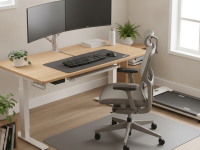
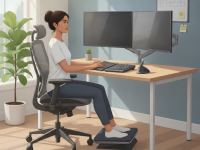
Why an ergonomic desk setup matters for sciatica
Sciatica results from irritation or compression of the sciatic nerve, often originating in the lower back or through tight hip and glute muscles. Prolonged sitting in a slouched or poorly supported position can increase nerve tension and disc pressure, amplifying symptoms such as sharp leg pains, numbness, or burning sensations. An ergonomic desk setup helps maintain a neutral spine, encourages adequate circulation, and reduces repetitive strain that contributes to flare-ups.
While individual responses vary, evidence suggests that workplace ergonomics can decrease musculoskeletal discomfort and improve function when combined with regular movement. Creating a sit-stand routine, supporting the lumbar region, and ensuring arms and wrists rest in a natural position are practical steps that align with general occupational health guidance. This approach is particularly relevant for people who spend many hours at a desk and wish to prevent sciatica from starting or worsening.
Core components of an ergonomic desk setup for sciatica prevention
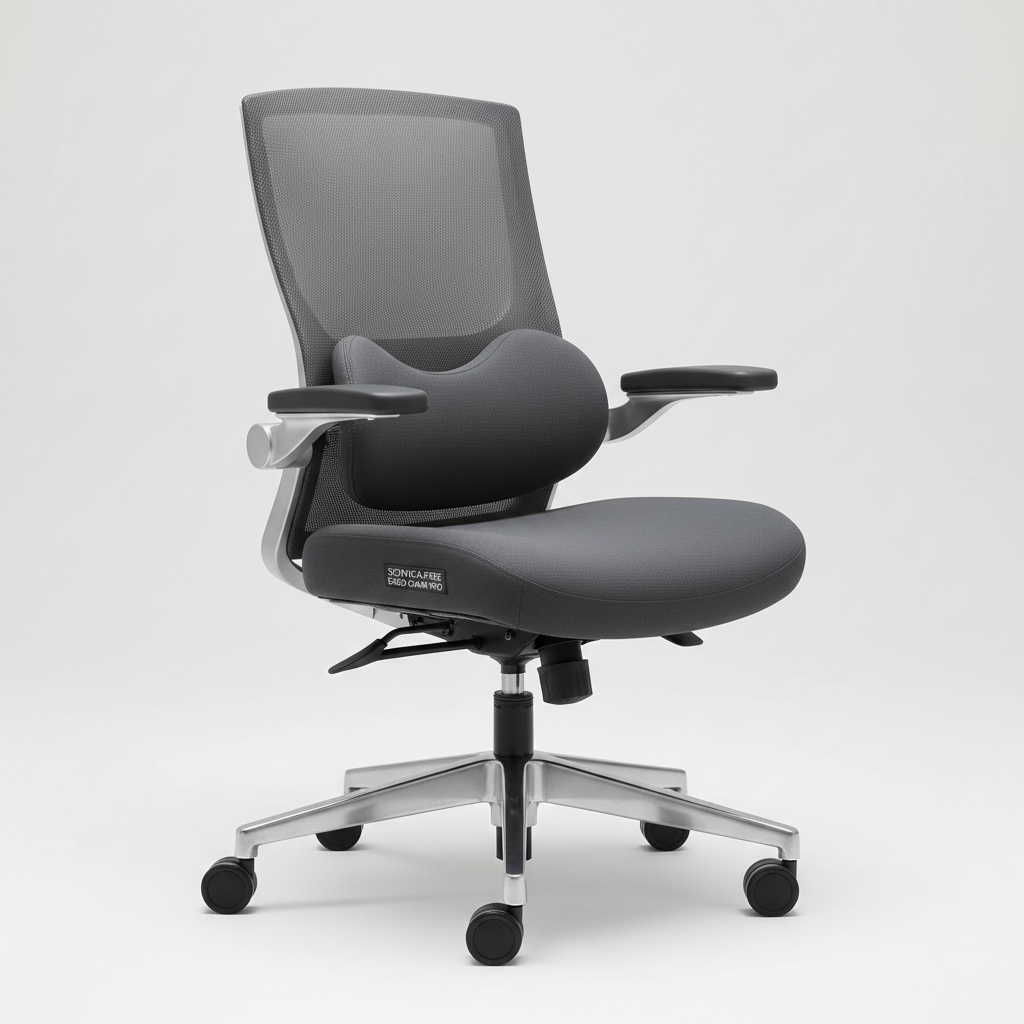
Seat and lumbar support
Choose an adjustable chair with reliable lumbar support to preserve the natural inward curve of the lower spine. The seat depth should allow you to sit with your back against the chair and leave 2–4 inches between the edge of the seat and the back of your knees. Feet should rest flat on the floor or on a stable footrest, with thighs parallel to the ground. Adjusting seat height so that your hips are slightly above your knees helps reduce sacral pressure and supports a neutral pelvis.
Desk height, reach, and work surface
Set the desk so your elbows are at roughly a 90- to 120-degree angle when you type. Forearms should be parallel to the floor, with shoulders relaxed. The desk depth should allow you to keep the monitor at a comfortable arm’s length without leaning forward. Ensure there is enough knee clearance to avoid pinching the front edge of the chair against the desk.
Monitor position and visual setup
Position the monitor so the top line of text is at or slightly below eye level. The screen should be about 20–28 inches away from your face, depending on screen size and vision. A monitor with adjustable height and tilt reduces the tendency to crane the neck, which in turn reduces overall spinal strain. Use anti-glare measures and proper lighting to limit eye strain and posture changes caused by discomfort.
Input devices: keyboard and mouse
Place the keyboard and mouse within easy reach to keep elbows close to the body and wrists straight. A split or ergonomic keyboard and an adjustable mouse can reduce wrist deviation and forearm rotation. Avoid resting wrists on the desk edge or wrist pad for long periods; instead, keep hands and forearms in a straight line with the forearms supported by the desk or chair arms.
Legs, feet, and space to move
Allow sufficient space beneath the desk for leg movement. If your feet don’t comfortably reach the floor, use a stable footrest to achieve a 90-degree knee angle. Crossed legs or tucking feet under the chair can increase pressure on the hips and lower back, so keep both feet flat and evenly supported. Consider a short, controlled sit-to-stand routine to promote movement without abrupt transitions.
Movement, microbreaks, and posture checks
Integrate light movement into the workday: stand, walk, or stretch for 1–2 minutes every 20–30 minutes. Gentle pelvic tilts, hip stretches, and ankle circles can relieve seated tension and reduce nerve stress. Use reminders or a simple timer to ensure regular breaks, especially during long tasks or intense screen work. Movement is a key component of maintaining nerve health and overall spinal comfort.
Practical steps to implement this week
- Audit your current setup: sit in your chair with your back supported, feet flat, and elbows at 90–120 degrees.
- Adjust chair height to align hips and knees while keeping a comfortable lumbar curve.
- Position the monitor so the top line is at eye level and at an appropriate distance to avoid leaning forward.
- Place the keyboard and mouse to minimize reach and keep wrists straight; consider ergonomic peripherals if needed.
- Ensure a stable footrest or flooring that supports both feet flat on the surface.
- Schedule short movement breaks every 20–30 minutes and perform a quick hip or spine stretch during each break.
Common mistakes and how to avoid them
- Over-tweaking one element: Avoid perfecting one detail (like monitor height) while neglecting seating or leg position. A balanced setup matters more than any single adjustment.
- Staying in a fixed seated position: Prolonged static postures increase stress on the spine and nerve pathways. Build movement into your routine.
- Relying on desk accessories alone: Cushions or lumbar rolls can help, but their benefits are greatest when combined with proper chair fit and desk height.
- Ignoring signs of poor posture: Head forward, rounded shoulders, or tight hips can amplify sciatica symptoms. Reassess positioning regularly and adjust as needed.
Evidence and expert perspective
Medical and occupational health perspectives emphasize that ergonomic interventions are a practical component of sciatica management and prevention. While a single change may not eliminate symptoms, a well-structured desk setup reduces excessive spinal loading, supports posture, and complements medical treatment when needed. Experts advocate combining ergonomic alignment with regular movement, core-strengthening exercises, and activity modification to support nerve health and functional pain relief.
When designing your workspace, focus on functional alignment rather than aesthetics alone. A professional-grade chair with adjustable lumbar support, an appropriately positioned monitor, and a keyboard-mram entry that supports neutral wrists can collectively decrease cumulative stress on the lumbar spine. For people with persistent symptoms, a clinician can tailor recommendations, including targeted physical therapy or specific posture-training exercises.
Putting it all together for long-term relief
Consistency is the key. A daily routine that includes a structured ergonomic desk setup, periodic movement, and attention to body signals helps prevent flare-ups and supports recovery. Start with small, sustainable adjustments and gradually refine your workspace as your comfort improves. The goal is to maintain a neutral spine, reduce nerve tension, and empower you to work with less pain and more productivity.
If you experience persistent leg numbness, weakness, or new symptoms, seek medical evaluation promptly. An integrated approach that combines ergonomics, physical therapy, and medical guidance is the most effective path to long-term relief and reliable function at work.
Create a highly detailed, photorealistic infographic showing an ideal ergonomic desk setup for sciatica prevention. Include a height-adjustable sit-stand desk with a clearly labeled neutral spine position, an ergonomic chair with adjustable lumbar support, a monitor at eye level, a keyboard and mouse aligned to keep wrists straight, and a footrest with both feet flat. Show faint arrows indicating 90-degree angles at elbows and knees, a subtle green checkmark on proper posture, and a small timer indicating microbreaks every 20–30 minutes. Use a clean, modern design with muted blue-gray tones and soft lighting. Include caption: “Ergonomic desk setup for sciatica prevention: key components and posture guidelines.”