If you are dealing with sciatica or simply want to prevent flare-ups, an ergonomic desk setup for sciatica prevention can help. Small adjustments to how you sit, stand, and work can reduce nerve irritation and lower back pain over time. This guide provides practical, evidence-informed steps you can implement today to support your spine and nervous system.
Why an ergonomic desk setup matters for sciatica prevention
Sciatica results from irritation or compression of the sciatic nerve, often due to poor posture, repetitive strain, or prolonged sitting. An ergonomic approach aligns your body with your work tasks, reducing torque on the lumbar spine and improving blood flow to the nerves. When your desk, chair, monitor, and accessories encourage neutral positions, you’re less likely to adopt positions that aggravate the lower back or buttock region.
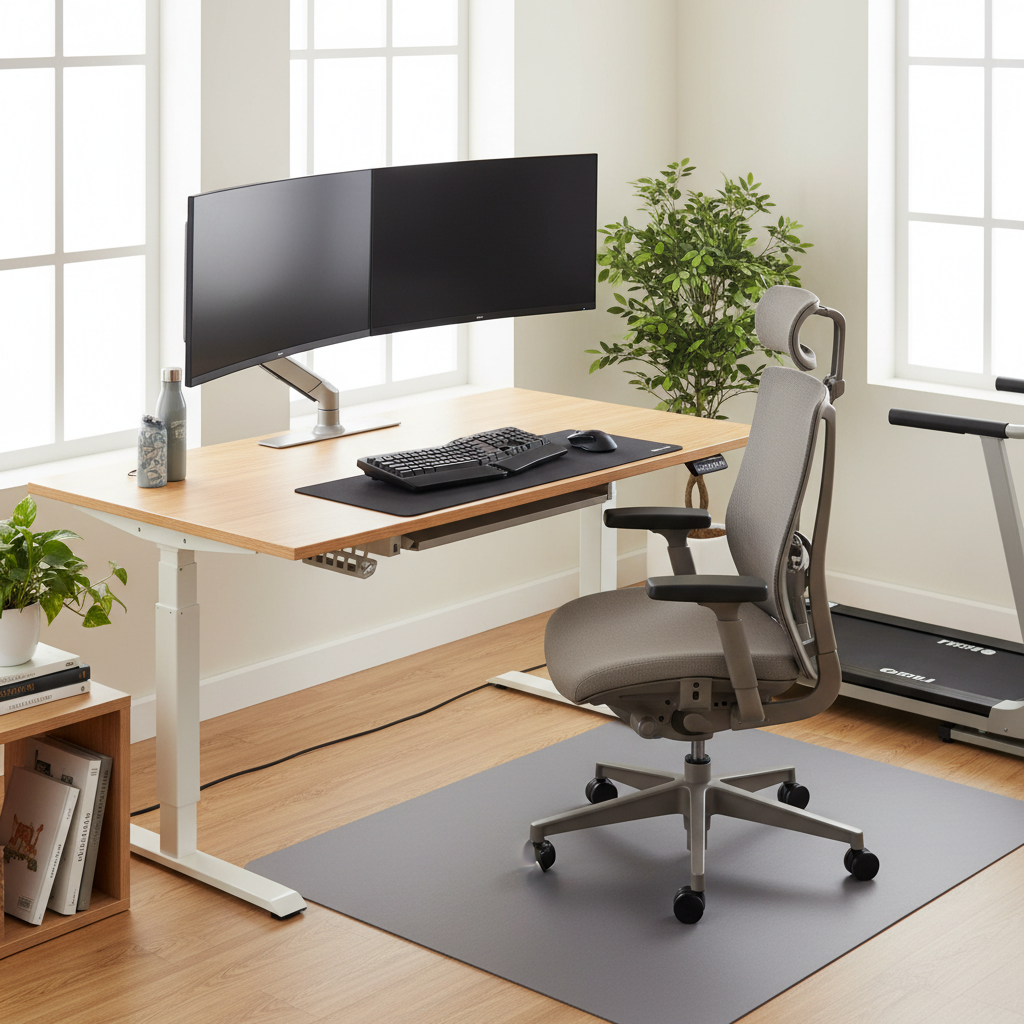
Core components of an ergonomic desk setup
Chair and seating position
- Seat height: Adjust so your feet rest flat on the floor or on a footrest, with your knees at about 90 degrees (or slightly more). This helps maintain proper hips and spine alignment.
- Seat depth: Ensure there is a small gap (about 2–4 inches / 5–10 cm) between the back of your knees and the front edge of the chair to promote comfortable circulation.
- Back support: A chair with adjustable lumbar support helps maintain the natural curve of the lower back. If needed, use a small cushion or rolled towel to support the lumbar region.
- Armrests: Set armrests so your shoulders stay relaxed and your elbows rest at roughly 90–120 degrees. Forearms should be supported without elevating the shoulders.
- Posture: Sit back in the chair with hips at or slightly above knee level. Avoid slumping or rotating the torso to reach the keyboard or mouse.
Desk height and workspace layout
- Desk height: The goal is a neutral position where forearms are parallel to the floor when typing. This typically means a desk height aligned with your elbow height when seated, usually around 28–30 inches (71–76 cm) for many adults, but individual variation applies.
- Workspace reach: Keep frequently used items within an easy reach to avoid twisting or leaning. Use monitor stands, document placements, and utensil trays to reduce overreaching.
- Clear zones: Designate zones for primary tasks (typing, writing) and secondary tasks (reference materials) to minimize postural changes that aggravate sciatica.
Monitor, keyboard, and mouse placement
- Monitor position: The top of the screen should be at or slightly below eye level, and about an arm’s length away. This reduces neck strain and encourages a natural head position.
- Keyboard and mouse alignment: Place the keyboard and mouse close enough so you can keep your wrists straight and your elbows near your body. Use a negative tilt or a slight forward slope if it helps comfort, but avoid excessive wrist extension.
- Wrist posture: Maintain a neutral wrist position, not bent up or down. Consider a split keyboard or an ergonomic mouse if you notice persistent discomfort.
Standing and sit-stand options
- Alternating positions: Use a sit-stand desk or adjustable-height desk to break up long periods of sitting. A common recommendation is to alternate every 30–60 minutes.
- Transition technique: When moving to stand, keep a soft bend in the knees, hips tucked under, and avoid locking the knees or leaning forward with the trunk.
- Footwear and surface: If you stand, wear supportive footwear and use a cushioned anti-fatigue mat to reduce pressure on the legs and lower back.
Movement, breaks, and habit development
- Micro-breaks: Stand up, stretch, or take a short walk every 30 minutes to promote blood flow and relieve tissue tension in the glutes and lower back.
- Stretching: Include gentle hip flexor, hamstring, and piriformis stretches as part of your routine, especially if you sit for extended periods.
- Micro-adjustments: Periodically adjust your chair height, monitor angle, or desk setup to maintain comfort and prevent habituation to poor posture.
Practical steps to implement your ergonomic setup
Embarking on an ergonomic upgrade doesn’t have to be overwhelming. Start with the highest-impact changes and test for a couple of weeks before refining further.
- Baseline assessment: Sit with your back supported, feet flat, and elbows near your sides. Check if your monitor is at eye level and your keyboard is at a natural height.
- Incremental adjustments: Change one variable at a time (chair height, monitor height, or keyboard position) and observe how your body feels at the end of the day.
- Documentation: Take notes or photos to track adjustments and identify what reduces sciatica symptoms more effectively.
- Personalization: If you have a preexisting condition or unique body proportions, tailor the setup with professional guidance from an ergonomic specialist or physical therapist.
Common mistakes and how to fix them
- Monitor too low or too far away: Elevate and bring the monitor closer to reduce neck bending and strain on the upper back.
- Slouching or rounded shoulders: Use lumbar support and consciously widen your chest to maintain an upright posture.
- Overreaching for the keyboard or mouse: Move accessories closer to your body to prevent twisting and excessive shoulder use.
- Prolonged static sitting: Incorporate standing breaks and micro-movements to improve spinal health and nerve circulation.
- Ignoring footwear and foot support when standing: Use a supportive mat and well-cushioned shoes to maintain balance and reduce leg fatigue.
Maintenance and long-term considerations
Your ergonomic setup should evolve with your body and work tasks. Reassess your arrangement every few months or after a change in job duties, a new chair, or a back flare-up. Consistency matters: small, repeatable adjustments over time yield lasting improvements in sciatica prevention and overall comfort.
When to seek professional advice
If you experience persistent or escalating sciatic symptoms, numbness in the feet, weakness, bowel or bladder changes, or if pain disrupts sleep, consult a healthcare professional such as a physical therapist or physician. They can assess for underlying conditions, offer targeted exercises, and tailor an ergonomic plan to your needs.
Conclusion
A well-designed ergonomic desk setup for sciatica prevention aligns your body with your work, reduces nerve strain, and supports sustainable productivity. By prioritizing chair support, correct desk and monitor positioning, and regular movement, you can minimize sciatic pain triggers and protect your spine in the long term.
An infographic-style illustration showing a side view of a clean, modern home office. A person sits in an adjustable ergonomic chair with lumbar support, feet flat on the floor, knees at 90 degrees. The desk is at elbow height with the keyboard and mouse within easy reach. The monitor is positioned at eye level and about an arm’s length away. Annotations highlight 90–110 degree elbow angles, neutral wrist posture, and the recommended 2–4 inch seat-edge clearance. Include a small section on a sit-stand desk with a subtle transition arrow, an anti-fatigue mat under standing feet, and callouts for posture reminders. Color palette: calm blues and greens, with clear, readable labels and a simple legend for quick reference.